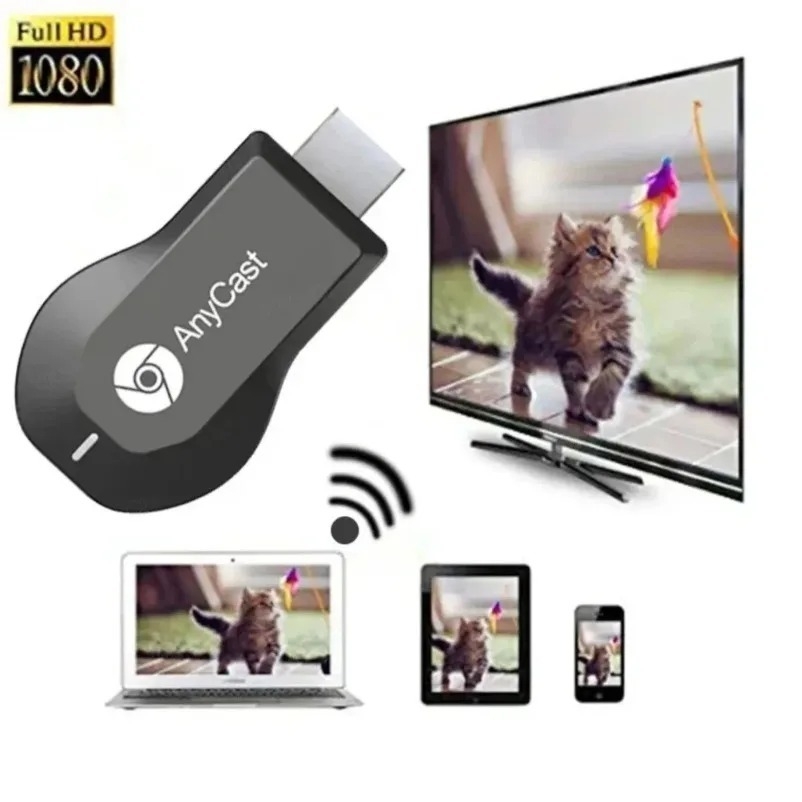
AnyCast M9 Plus HDMI TV Stick 1080P "No Need Mode Switching"Hdmi Wireless Display Receive D-ongle HDMI TV Miracast
Description: This Anycast plus d-ongle has very good performance on Miracast mirroring and Youtube casting, because we learned from our previous customers that they have high requirement on Miracast mirroring and Youtube casting. This product has solved the shortcome of the old versions in Miracast mirroring and Youtube casting. If you have high requirement on Miracast mirroring and Youtube casting, this is the one.
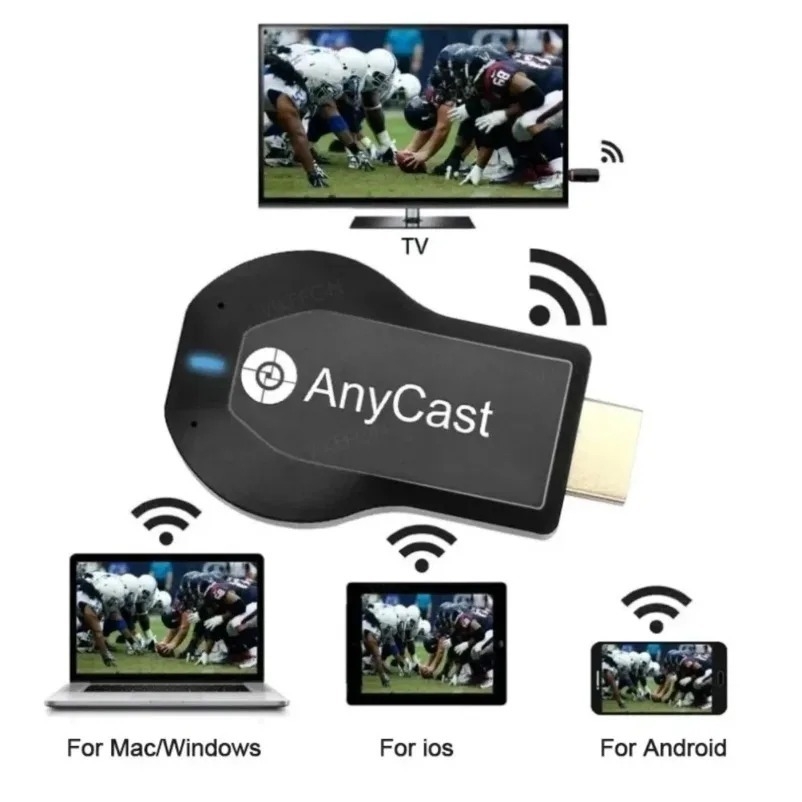
Features: 1.Wireless display: SmartSee Wireless display adapter can mirror the screen of phone, tablet, laptop, pc to your TV/projector/monitor wirelessly. Share videos, photos, movies, files to a big screen easily. What shows on your screen can shows up on another big display. Cast a small screen to a large one. Make your TV a smart TV. 2.Easy to use: No App or drivers required. Only 3 steps to enjoy media on large screen: Plug->Connect->Mirroring by using Miracast, DLNA and Airplay mode. Recognize your IP address and match your local language automatically. While your mobile device is upgraded to the newest version, this adapter can be upgraded to be compatible with the newest version timely. Buy one, never worry about the version compatibility. 3.Wide Usage: Watch with colleagues in meeting-Mirroring screen to projector, share PPT, mail, documents and other content wirelessly. Watch with students in classroom-Mirroring screen to big screen, share teaching content wirelessly. Watch with your family at home-Mirroring screen to TV, share photos, videos, movies wirelessly. Carry it while travelling, share your phone to TV anytime.
Specifications:
Brands:Anycast
Name:W-iFi Display
D-onglePort:HDMI/USB
Features:Mirror/data transmission/Charging
Size:68mm×38mm×13mm
Color: Black
How to use the wireless screen mirroring device: 1. Connect one end of the included USB power cable to the mini USB port of the screen mirroring device, and the other end to the power adapter port (5VA). Connect the HDMI port of the screen mirroring device to the HDMI port of the TV. Turn on the TV and press the "Source" button on the TV remote to select the plugged-in "HDMI" signal. At this time, the TV screen will display the screen mirroring device's standby screen, including IP address, password, device name, etc. 2. Screen mirroring from an iPhone: Open the phone's settings, find the screen mirroring device's name in the WiFi network, tap it, enter the password displayed on the TV screen, then return to the phone screen, pull down to find "Screen Mirroring," and tap the name. 3.Android phone screen mirroring: Use your phone's built-in "wireless screen mirroring" function. Pull down the screen on your phone to find and click the screen mirroring device's ID name.
Package includes: 1×AnyCast D-ongle TV Stick 1×USB W-iFi Cable 1× English User Manual
Specifications
Key Features
Wireless display
Easy to use
Wide Compatibility
Wide Usage
What’s in the box
1×AnyCast D-ongle TV Stick 1×USB WiFi Cable 1× English User Manual
Specifications
SKU: GE779EA6G1HRSNAFAMZ
Model: M9 Plus
Size (L x W x H cm): 68mm×38mm×13mm
Weight (kg): 0.06
Color: Black
Main Material: Multimatières
From the Manufacturer: <p>N/A</p>
Warranty Address: <p>N/A</p><p> </p>
Verified Customer Feedback
This product has no ratings yet.
AnyCast M9 Plus HDMI TV Stick 1080P "No Need Mode Switching"Hdmi Wireless Display Receive D-ongle HDMI TV Miracast

/product/89/7406003/1.jpg?1188)
/product/89/7406003/2.jpg?5778)
/product/89/7406003/3.jpg?5778)
/product/89/7406003/4.jpg?5778)
/product/89/7406003/5.jpg?5778)
/product/89/7406003/6.jpg?5778)
/product/89/7406003/7.jpg?5778)
/product/89/7406003/8.jpg?5778)




/product/89/7406003/1.jpg?1188)