This website uses cookies
This website uses cookies. For further information on how we use cookies you can read our Privacy and Cookie notice

This website uses cookies. For further information on how we use cookies you can read our Privacy and Cookie notice
/product/65/3785003/1.jpg?0823)
/product/65/3785003/2.jpg?0823)
/product/65/3785003/3.jpg?0823)
/product/65/3785003/4.jpg?0823)
/product/65/3785003/5.jpg?0823)
/product/65/3785003/6.jpg?0823)
/product/65/3785003/7.jpg?0823)
Some variations with low stock

Free return within 15 days for all eligible items.Details
GodwinEnterprise
70%Seller Score
77 Followers
Shipping speed: Excellent
Quality Score: Very Poor
Customer Rating: Average
Cancellation Rate: Excellent


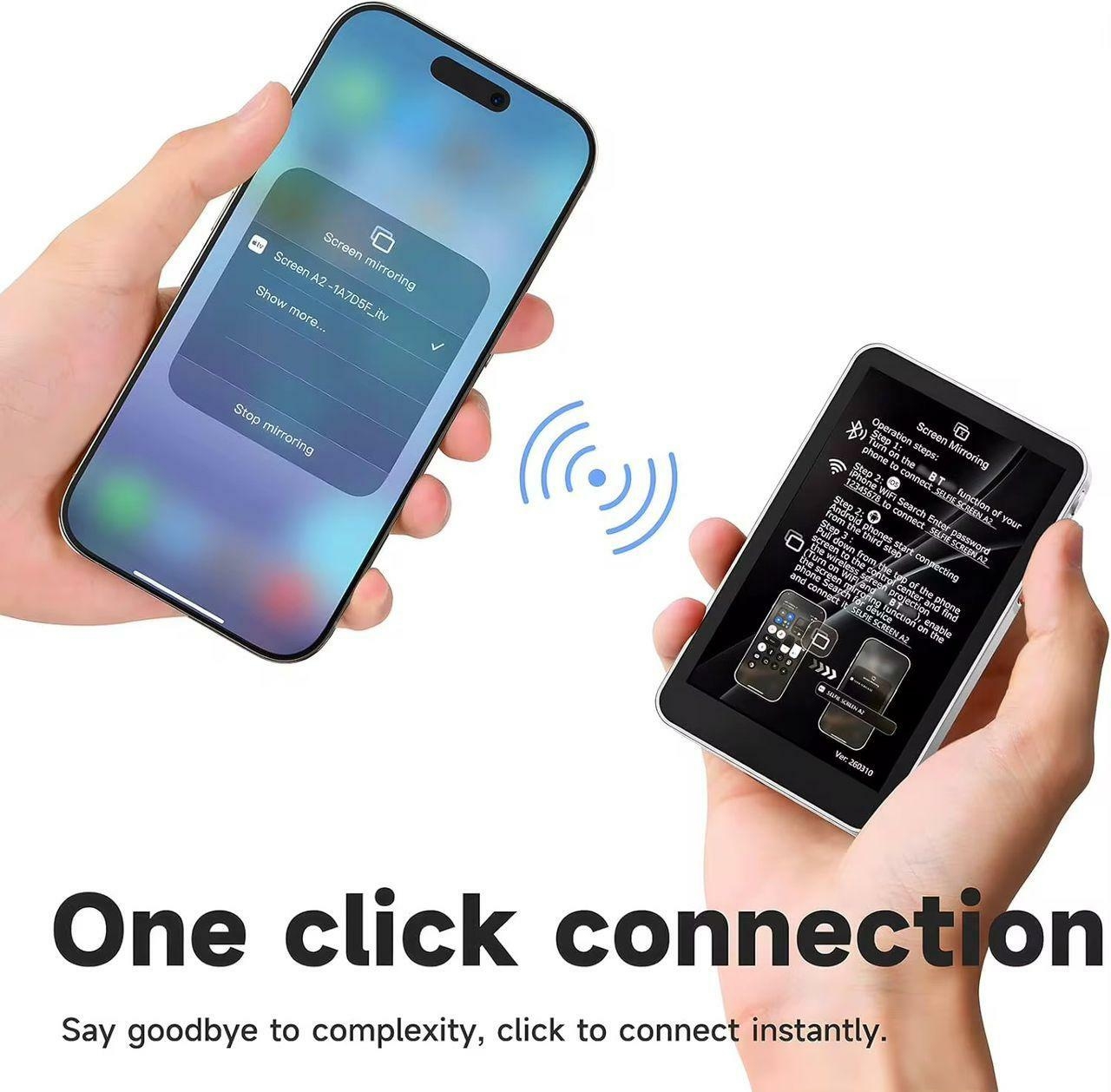
Operation Steps:
Step 1: Turn on Bluetooth on your iPhone and connect to SELFIE SCREEN A2.
Step 2: Go to Wi-Fi settings, search for SELFIE SCREEN A2, and enter the password 12345678 to connect.
Step 3: Once connected, open Screen Mirroring or Wireless Display on your iPhone.
Step 4: Select SELFIE SCREEN from the list to connect and start real-time preview.
Magnetic design with secure attachment for iPhone 12/13/14/15/16 series (iOS 16 and above)
Dual-band WiFi (2.4G + 5.8G) for zero-delay live preview and smooth streaming
Easy one-step Wi-Fi Direct connection
One-touch mirror flip and adjustable brightness
Type-C charging port, supports multiple power sources
Lightweight and portable design, ideal for travel and vlogging
Can be connected through Bluetooth, Wi-Fi, and Screen Mirroring

This product has no ratings yet.
/product/65/3785003/1.jpg?0823)